
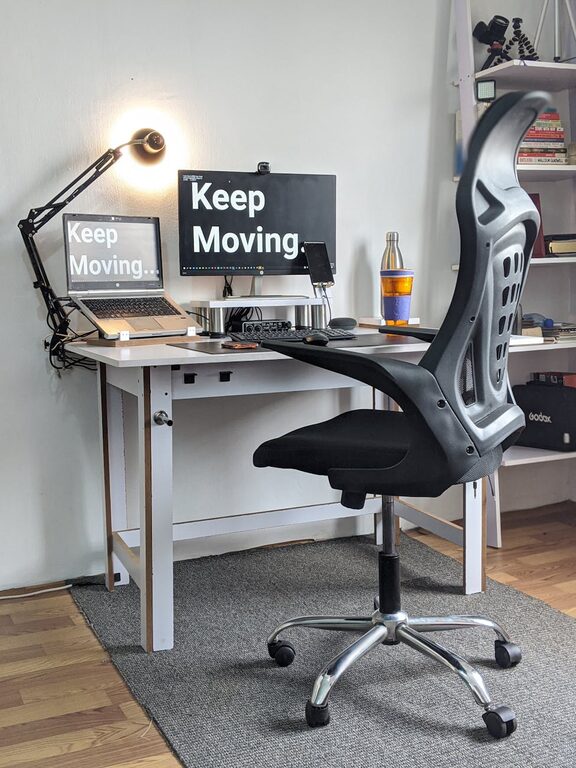
Creating a comfortable and productive home workspace is essential for anyone working from home or spending time on projects, studying, or managing daily tasks. A well-designed workspace helps improve focus, reduce distractions, and maintain good physical health. Whether you have a dedicated room or just a corner to set up, there are several ways to enhance your environment to support your best work.
Why a Comfortable Workspace Matters
Your home workspace directly affects your ability to concentrate, your energy levels, and even your mood. An uncomfortable chair or poor lighting can cause fatigue and discomfort, while clutter and distractions can make it harder to stay focused. Investing time in creating a workspace tailored to your needs can lead to increased efficiency and a better work-life balance.
Choosing the Right Location
Consider Natural Light
Selecting a spot with plenty of natural light can boost your mood and alertness. Try positioning your desk near a window, but be mindful of glare on your computer screen.
Minimize Distractions
Look for a quiet area away from household noise if possible. Inform family members or roommates about your work hours to reduce interruptions.
Use Available Space Wisely
If you don’t have a separate room, create a defined workspace within a common area using room dividers or strategic furniture placement.
Key Elements of a Comfortable Workspace
Ergonomic Furniture
– Desk: Choose a desk at the right height where your arms can rest comfortably at a 90-degree angle.
– Chair: Invest in an ergonomic chair that supports your lower back and promotes good posture.
– Footrest: If your feet don’t touch the floor comfortably, use a footrest to avoid strain.
Proper Lighting
– Use a combination of natural light and task lighting.
– A desk lamp with adjustable brightness helps reduce eye strain.
– Position lighting to avoid screen glare and shadows.
Technology Setup
– Ensure your computer monitor is at eye level to prevent neck strain.
– Use external keyboards or mice if needed for better comfort.
– Keep cables organized to prevent clutter and accidents.
Organizing Your Workspace for Productivity
Declutter Regularly
Keep only essential items on your desk to maintain focus. Store paperwork, supplies, and personal items in drawers or shelves.
Use Storage Solutions
– Drawer organizers for stationery.
– Shelves or filing cabinets for documents.
– Baskets or bins for miscellaneous items.
Personalize Thoughtfully
Add plants, photos, or motivational quotes to make the space inviting, but avoid overcrowding which can be distracting.
Enhancing Focus and Wellbeing
Set Boundaries
Define your work hours to balance productivity and relaxation. Use visual cues like closing your laptop or turning off your desk light when work is done.
Incorporate Breaks
Take regular short breaks to stand, stretch, or walk around. This helps reduce physical strain and refreshes your mind.
Maintain Air Quality
If possible, keep windows open or use an air purifier to ensure fresh air during work hours.
Control Noise Levels
– Use noise-canceling headphones.
– Play soft background music or white noise to improve concentration.
Tips for Staying Motivated in Your Home Workspace
– Set daily goals to keep your work organized.
– Use a planner or digital calendar to manage tasks and deadlines.
– Keep a water bottle handy to stay hydrated.
– Change your workspace layout occasionally to keep things fresh.
Final Thoughts
Creating a comfortable and productive home workspace doesn’t require a large budget or elaborate setup. By focusing on ergonomics, lighting, organization, and personal comfort, you can create an environment that supports your work and wellbeing effectively. Take small steps to improve your space, and over time, you’ll notice a positive difference in how you work and feel throughout your day.